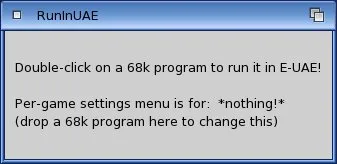
Double-clicked 68k games/progs are run using E-UAE
RunInUAE is intended to make it incredibly easy to run old Amiga games on AmigaOS4, and it comes with an easy installer, so that you can: - Run almost any HD installed 68k game (or program) inside E-UAE, by simply double-clicking on it! Including WHDLoad & JOTD JST installed games.
- Run ADF & DMS games by double-clicking them. (Needs a little bit of manual set-up if you don't have at least AmigaOS4.1 Update 4.) Otherwise just drag & drop them onto RunInUAE's icon in AmiDock or it's AppIcon.
- Run CD32 & CDTV games from real or virtual CDs. (Compatibility is not great.)
- The installer can set-up E-UAE with full-speed Sam-optimised settings. But it can also use your existing E-UAE settings if you want.
- The installer will get the necessary Kickstart ROMs from AmigaOS4.1 Update 4 (if you are using it), or otherwise it can copy them off an Amiga Forever CD.
- You do not need to set-up any assignments, nor create or edit any cryptic scripts or config files, for it to work! (Unlike alternative solutions.)
- You do not need RunInUAE running in the background, unless you want to play HD installed 68k games that do not use WHDLoad.
|
|
|
|
|