Modern Mediaplayer with Hollywood-GUI

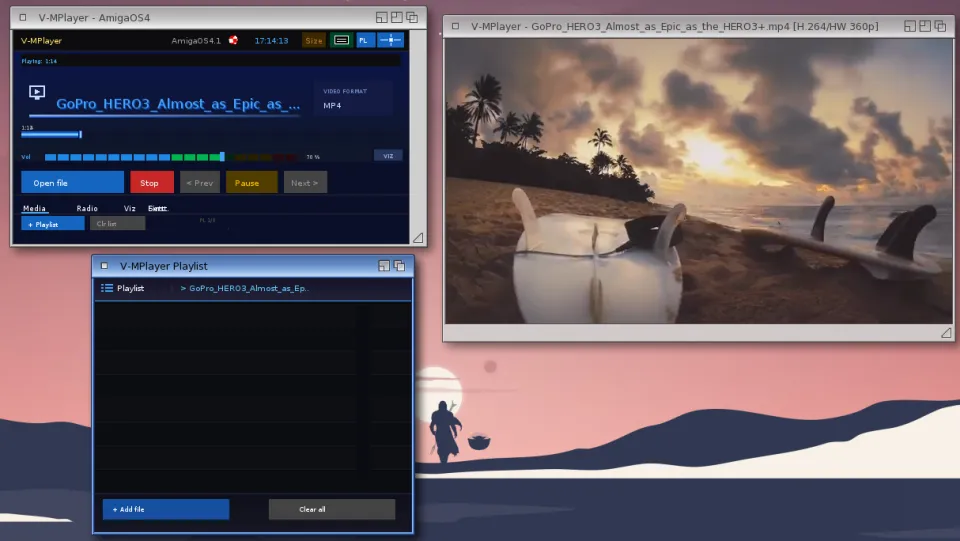
V-MPlayer is a modern media player for AmigaOS 4.1, written in Hollywood. It uses a custom-compiled MPlayer binary as its playback engine, enhanced with ARexx support and hardware-accelerated video output via VA-API.

Tested on X5000 with RX580 graphics card.

Note for QEMU and Pegasos 2 users: change the video output setting in the MPlayer configuration from vo=vaapi to vo=sdl. SDL supports window resize and does not require va.library.

Features

Supported formats:

Audio: MP3, FLAC, OGG, AAC, WAV, AIFF, MOD, IT, XM, S3M and more
Video: MP4, AVI, MKV, MOV, MPEG, FLV, WebM and more
Radio: HTTP and HTTPS streams (MP3, AAC, OGG, Shoutcast, Icecast)

Main window:

  • The main window provides a clean interface with playlist management, visualizers, volume control and a progress bar with seek support and total track length display. 
  • Track length is detected automatically after 3 seconds of playback. 
  • Buttons: Open, Stop, Previous, Play/Pause, Next.

Media tab:

  • Full playlist management with add file, add folder and clear options.
  • The playlist is saved automatically and restored on next start.
  • Filenames with special characters are cleaned automatically on import.

Radio tab:

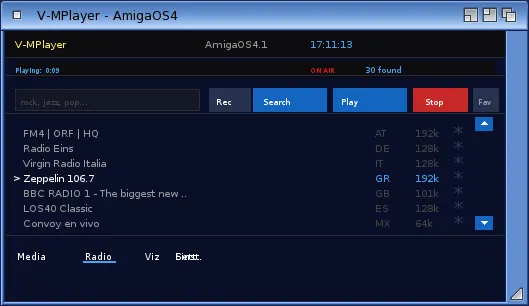
  • Built-in internet radio player with station list and search function.
  • Mark stations as favourites with the star button. Favourites are saved and shown automatically when no search is active, next to a decorative radio tower icon. A Fav button lets you return to your favourites list
    after a search. Double-click a station to play it immediately, or scroll through results with the mouse wheel or the up/down buttons.
  • A slim animated "Connecting..." indicator is shown while a stream connects. The media tab shows the station name with a LIVE indicator and blinking dot when a radio stream is playing.
  • Recording: click the Rec button while a station is playing to record the stream to disk as an MP3 file. A blinking REC indicator appears next to ON AIR while recording is active. Click Rec again to stop - the file is saved to the "recordings" folder inside the V-MPlayer program directory.

Visualizer modes (click to cycle):

  • OSC  - Oscilloscope, shows the raw audio waveform
  • BAR  - Spectrum bars, 20-band frequency display
  • MIR  - Mirror spectrum, symmetric bar display
  • MTX  - Matrix rain, speed reacts to bass level
  • OFF  - No visualizer, shows filename and progress bar instead

The last selected visualizer mode is remembered between sessions.

Viz tab:

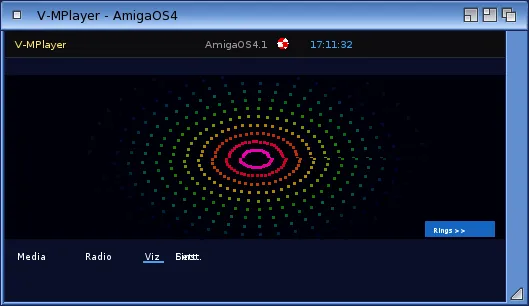
Full-screen visualizer with multiple effects: Rings, Stars, Plasma, Bounce Bars and a 20-band Equalizer with peak hold indicators. The equalizer reacts to real-time PCM audio data from MPlayer. All bands go silent when paused or muted.

Settings tab:

Choose interface language: Deutsch, English, Francais. Choose button style: Standard, Square, Round. All settings are saved automatically.

Miniplayer:

A compact 320x75 pixel floating window with full playback control. The main window minimises automatically when the Miniplayer is opened and is restored when Max is pressed. Shows elapsed and total time once track length is known. Shows LIVE indicator with blinking dot for radio streams. Includes PL button to open the playlist and Max button to restore the main window. Supports MINI=1 Tooltype to start directly in
miniplayer mode.

ARexx control:

V-MPlayer supports ARexx control via port MPLAYER.1. Commands include PAUSE, QUIT, VOLUME VALUE x ABS, SEEK, LOADFILE, MUTE, GET_TIME_POS and GET_TIME_LENGTH.


Developer
mplayer team, Maijestro
Publisher
Maijestro
Version
1.4.1
License